CRM Integration Automation Software Pricing Guide: What Should You Pay?
CRM automation quotes range from ₹200 per member monthly to enterprise contracts with flat fees. If you are comparing tools, the pricing model matters more than the sticker price. Per-user, per-month, and flat-fee structures hide different costs as your team grows.
This guide breaks down what you should actually pay, which features justify the number, and how Tasks.Bot's ₹200 per member per month pricing compares. You will also see the monthly versus annual math, what a free trial includes, and whether a WhatsApp-based task tool fits your CRM workflow.
What Is Tasks.Bot and How Does It Fit Into CRM Integration Automation?
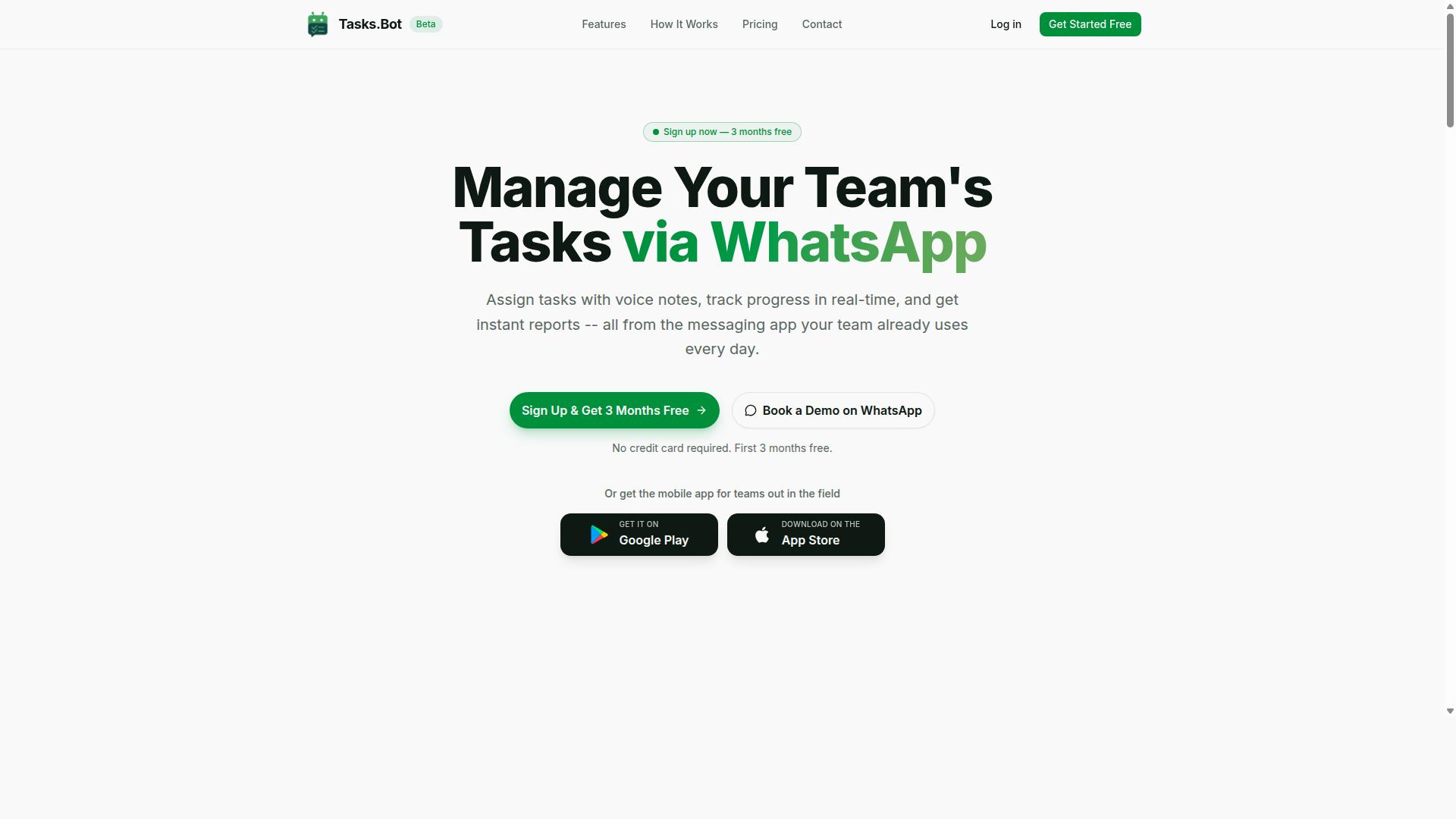
Tasks.Bot is a task management platform that operates entirely within WhatsApp, allowing teams to assign tasks, track progress, and receive reports without leaving the messaging app. It also offers a mobile app for field teams, so workers who are away from a desk can stay connected to the same task flow.
The service is currently in beta and offers a free trial period, which gives teams a low-risk way to see how messaging-first task management fits their existing habits. Because everything runs through WhatsApp, there are no new accounts or installations required for everyday use. That matters for small businesses and mid-market teams that already live in chat all day.
In the context of CRM integration automation, Tasks.Bot plays a complementary role rather than a replacement one. A full CRM such as HubSpot, Salesforce, Zoho CRM, or Pipedrive typically handles contact management, lead management, pipeline tracking, and data synchronization. Tasks.Bot focuses on the layer that often gets neglected: turning conversations into assigned, trackable work.
Consider how a sales team actually works. A lead arrives, a rep promises a follow-up, and someone needs to check in next week. In many organizations that promise disappears into a chat thread. Tasks.Bot closes that gap by letting the team assign the follow-up, track its status, and receive a report, all inside the app they were already using.
This is where the pricing conversation becomes relevant for a CRM integration automation software pricing guide. Teams weighing per-user pricing, tiered plans, or flat-rate pricing for a traditional CRM seat sometimes discover they are paying for pipeline features while the real bottleneck is task follow-through. A lightweight, messaging-first tool can address that bottleneck without adding another full platform to the stack.
- Task assignment: work is given to a specific person inside WhatsApp.
- Progress tracking: status stays visible instead of buried in chat history.
- Reporting: teams receive reports on activity and completion.
- Field team support: a mobile app keeps remote workers in the loop.
For marketing departments and customer support groups, the same logic applies. A campaign request or a support escalation becomes a tracked item rather than a message that scrolls away. Tasks.Bot does not attempt to manage contacts or pipelines. It automates the task workflows that sit on top of those records.
That distinction shapes total cost of ownership. If a team already pays for a CRM, adding Tasks.Bot does not mean replacing that subscription or migrating data. It means adding a focused capability, with the beta phase and free trial letting buyers evaluate fit before committing budget. For readers comparing implementation fees, onboarding costs, and customization charges across automation software, a tool that requires no new accounts for daily users is a meaningfully different cost profile.
Scalability also looks different here. Because the platform rides on WhatsApp usage the team already has, expansion tends to follow headcount and task volume rather than a complex rollout. The practical takeaway for this pricing guide is straightforward: Tasks.Bot complements a CRM by handling the assignment, tracking, and reporting work that CRMs were never designed to do inside a chat thread.
What Should You Pay for CRM Integration Automation Software? The Direct Answer
The cost of CRM integration automation software varies widely, but most solutions charge between $10 and $100 per user per month, with additional fees for implementation, customization, and support. Entry-level tools sit near the bottom of that range, while enterprise-grade platforms with advanced workflow automation and data synchronization push toward the top.
Beyond the subscription itself, buyers should budget for one-time and recurring extras. Implementation fees commonly fall between $500 and $5,000, depending on complexity and the number of third-party apps involved. Customization charges, onboarding costs, and ongoing maintenance fees can add further layers to the total cost of ownership.
Not every vendor prices the same way. Some use flat-rate or usage-based billing instead of per-user pricing, which changes how costs scale as your sales team, marketing department, or customer support function grows.
Understanding these variables is the first step toward an accurate budget. The sections below break down each pricing model, the trade-offs involved, and how Tasks.Bot's approach compares.
Typical Pricing Models You'll Encounter (Per User, Per Month, Flat Fee)
CRM automation tools commonly use per-user monthly pricing, tiered plans based on features or user count, flat-rate annual subscriptions, or usage-based billing tied to API calls or records processed. Each model shifts risk and predictability in a different direction.
Per-user pricing charges a set amount for each seat. A small business with five users pays far less than an enterprise with 200, but costs climb steadily as headcount grows. This model suits teams that add members gradually.
Tiered plans bundle features into basic, professional, and enterprise levels. Platforms like HubSpot, Salesforce, and Zoho CRM follow this pattern, where higher tiers unlock advanced workflow automation, API access, and deeper native integrations. The trade-off is paying for a full tier just to get one or two features you need.
Flat-rate pricing, such as a fixed monthly or annual fee covering unlimited users, offers predictable billing. It works well for larger teams but can feel expensive for a five-person operation that uses only part of the platform.
Usage-based billing ties charges to activity, for example a set rate per API call or per record processed. Costs stay low during quiet periods but can spike unpredictably during high-volume months, making forecasting harder.
Watch for hidden costs. Onboarding, premium support plans, and customization work can add 20 to 30 percent to the advertised base price, so always request a full quote before committing.
Why Tasks.Bot's ₹200/Month Per Member Pricing Changes the Equation
Tasks.Bot offers a 'Full Access' plan at ₹200 per member per month, which is significantly lower than typical CRM automation tools that charge $10 to $100 per user monthly. For teams comparing subscription models, that gap is hard to ignore.
Pricing is available in Indian Rupees and US Dollars, so buyers can select the currency that suits them. At roughly $2.40 per member monthly, Tasks.Bot sits well below the industry average, and the plan includes all features rather than locking capabilities behind higher tiers.
There are no hidden implementation or customization fees layered on top. That matters for small business and mid-market teams that want workflow automation and data synchronization without a surprise invoice for onboarding or support.
Annual billing improves the math further. The annual plan costs ₹1,200 per year per member, a 50 percent saving that reduces the effective monthly cost to ₹100 per member. Teams save ₹1,200 per year for each member on the annual plan.
New users also get three months free, with no credit card required and the ability to cancel anytime. For teams already using WhatsApp, especially in India and across global markets, this pricing model removes much of the financial friction that makes CRM integration feel out of reach. The following sections explore how this structure holds up against the total cost of ownership buyers typically face.
Key Features That Determine CRM Automation Value
When evaluating CRM automation software, the features that most impact value are workflow automation, data synchronization, API access, and native integrations with existing tools. These four capabilities decide how much manual work your team still does after the software is in place.
Workflow automation means trigger-based actions: when a lead status changes, a task is created, an owner is notified, or a follow-up is scheduled. Without it, staff still move data by hand and updates get missed.
Data synchronization keeps records consistent across systems, whether it runs in real time or in scheduled batches. Real-time sync suits sales and support teams that act on fresh information; batch sync can be enough for reporting and back-office work.
API access determines how far you can extend the platform. It matters when you need custom integrations or connections to tools that no pre-built connector covers.
Native integrations are pre-built connectors to popular apps, and they usually cost less effort than custom builds. Together, these features cut manual entry, reduce errors, and improve data accuracy, which is where much of the return on a subscription actually comes from.
When comparing quotes, ask which of these four items sits in the base tier and which requires an upgrade. That answer often explains a price gap between two seemingly similar plans. The next two sections look at how Tasks.Bot delivers on this front.
WhatsApp-Native Task Management, Voice Notes, and AI Task Creation
Tasks.Bot leverages WhatsApp as its primary interface, enabling users to create tasks via voice notes and natural language, which are then automatically parsed and assigned using AI. A message such as "Assign John to call the client tomorrow at 3 PM" becomes a task with an assignee, a due date, and the relevant details.
This approach removes a common barrier to adoption: a separate app and a separate login. Teams already spend their day in WhatsApp, so the automation layer sits where the work conversation already happens. AI task creation turns casual messages into structured records instead of leaving them buried in chat history.
Tasks.Bot also supports automatic task assignment and smart deadline reminders, so ownership and timing are handled without a manager chasing updates. Approvals and automations cover the review steps that would otherwise move through email threads.
Tracking and reporting stay in the same place. Instant reports, tasks on a map, and a live day tracker give managers visibility without exporting data to another dashboard. For teams that want a native mobile experience, Tasks.Bot offers Android and iOS apps with push notifications, voice capture, and a home screen widget.
For buyers weighing cost, this matters because adoption drives value. Software that staff avoid using rarely justifies its subscription, while a tool that fits an existing habit tends to show returns sooner.
Attendance, GPS Tracking, and Payroll-Ready Hours for Field Teams
For teams with field staff, Tasks.Bot offers face-verified attendance, GPS tracking, and automatic calculation of payroll-ready hours, all managed through WhatsApp. Staff mark attendance from the field, and the system records the location alongside the verification.
Face verification addresses a familiar problem with field attendance: a colleague clocking in on someone else's behalf. GPS location adds context about where the check-in happened. Together they give managers a more reliable record than a shared spreadsheet or a sign-in sheet at a site office.
The system then tracks hours worked and generates payroll-ready reports. That reduces administrative overhead for whoever currently compiles timesheets, cross-checks them, and passes them to payroll each cycle. Tasks.Bot also covers shifts, leave, and hours management, so scheduling and time data stay connected rather than living in separate tools.
This combination is particularly useful in industries such as sales, delivery, and maintenance, where staff are rarely at a desk and traditional time-tracking tools feel cumbersome. A field technician is not going to open a desktop portal between jobs, but a WhatsApp message fits the workflow.
From a pricing perspective, attendance and hours tracking often replace a separate tool and its subscription. That overlap is worth factoring into your total cost of ownership when you compare plans.
Tasks.Bot Pricing and Plans Explained
Tasks.Bot keeps its pricing simple. There is no maze of tiers to compare, no feature gates, and no upsell ladder. The platform offers a single 'Full Access' plan with all features included, so every user gets the same complete toolset from day one.
The plan is priced at ₹200 per member per month, or ₹1,200 per member per year. Pricing is available in both Indian Rupees (₹) and US Dollars ($), and the site includes a 'Select currency' option so buyers can confirm the right currency before paying.
This flat-rate approach stands out in a market where most CRM integration and automation software splits capabilities across starter, professional, and enterprise tiers. With tiered plans, teams often discover that the features they actually need, such as workflow automation or data synchronization, sit one level above what they purchased.
Tasks.Bot removes that guesswork. One plan means one price to budget for, whether the user is a small business owner, a sales team lead, or part of a marketing department. It also means the cost conversation stays short, which matters for teams evaluating total cost of ownership.
Two billing choices follow from this single plan, and each has its own trade-offs. The sections below break down monthly versus annual billing and explain the free trial and refund terms.
Monthly vs Annual: ₹200/Member/Month or ₹1,200/Year (Save 50%)
Tasks.Bot's monthly plan costs ₹200 per member per month, while the annual plan is ₹1,200 per member per year, effectively halving the monthly cost to ₹100. The math is worth spelling out for anyone building a budget.
On monthly billing, a single member costs ₹2,400 over twelve months. On annual billing, that same member costs ₹1,200. The difference is ₹1,200 saved per member per year, a 50% discount for choosing the yearly option.
For a team of five, that gap becomes ₹6,000 in annual savings. For a ten-person sales or support group, it reaches ₹12,000. The more members added, the more the annual rate compounds in the buyer's favor.
Typical SaaS annual discounts tend to land in the 10% to 20% range, so a 50% reduction is unusual. It also reflects a straightforward per-user pricing model with no hidden fees. There are no implementation fees, onboarding costs, or customization charges layered on top, and the plan includes all features regardless of billing choice.
That predictability matters for small business and mid-market buyers. Subscription costs can be forecast per member per month or per year without surprise line items, which makes the platform easier to justify against expected ROI from automation.
3 Months Free, No Credit Card, and Refund Policy
Tasks.Bot offers a 3-month free trial with no credit card required, and a refund policy is mentioned in the footer of their website. The trial period is generous by SaaS standards, where 14 or 30 days is the common norm.
Because no payment details are needed to start, sign-up friction stays low. Teams can test the platform before committing budget, and there is no risk of an accidental charge at the end of a trial window. Users can also cancel anytime.
Three months gives a team enough runway to run real work through the software. A sales team could route lead management and contact management through it for a full quarter. A marketing department could connect workflow automation and data synchronization across the tools it already uses.
The refund policy adds another layer of protection, though the exact terms should be checked on the website since the footer only references it. Buyers comparing automation software should read those terms before purchasing, as they would with any subscription.
Together, the free trial and refund policy lower the risk for small businesses and teams new to automation software. The service is currently in beta, and the site also offers a 'Book a Demo on WhatsApp' option for teams that want a walkthrough first. With one plan, a 50% annual saving, and a three-month no-card trial, Tasks.Bot makes the decision to try it straightforward and low-stakes.
Who Should Use Tasks.Bot for CRM-Adjacent Automation
Tasks.Bot is best suited for small to mid-sized teams that already use WhatsApp for communication, particularly those with field staff in sales, customer support, or operations. If your day-to-day coordination happens in chat threads rather than a desktop dashboard, the tool fits naturally into how your team already works.
The sweet spot is teams of roughly 5 to 50 members. At this size, you feel real pain from scattered follow-ups and missed customer touchpoints, but you are not yet ready to absorb the cost and complexity of a full CRM rollout. Tasks.Bot addresses that gap without forcing a heavy migration.
Field-heavy roles benefit most. Sales representatives visiting clients, service technicians on site, and delivery or operations staff moving between locations all need tasks tied to real customer interactions. When those tasks live in the same channel the team already uses, adoption tends to be faster than with tools that require a separate login habit.
Businesses in India and other WhatsApp-dominant markets are a particularly strong fit. In these regions, WhatsApp is often the primary customer and internal communication channel, so a tool built around it aligns with existing behavior rather than fighting it. The brand notes that hundreds of teams already use the service.
Tasks.Bot also covers attendance tracking and payroll-ready hours, which matters for teams managing shift-based or field-based staff. These are operational needs that many lightweight CRMs ignore entirely.
Where does Tasks.Bot work well in a CRM-adjacent sense? Two areas stand out:
- Lead management: capturing and assigning follow-ups so inquiries do not go cold
- Contact management: keeping customer details and interactions connected to the tasks they generate
The key phrase is "CRM-adjacent." Tasks.Bot is not a full CRM replacement. It handles the task and coordination layer around customer relationships, not the complete record-keeping, forecasting, and reporting stack that a dedicated CRM provides.
That distinction matters when deciding fit. Consider who should look elsewhere:
- Large enterprises needing deep CRM customization, custom objects, and granular permission structures
- Teams with complex sales pipelines requiring multi-stage forecasting, territory management, and detailed revenue analytics
- Organizations whose customer data must live inside a system with extensive native integrations and API access across many enterprise apps
For those cases, a full platform such as HubSpot, Salesforce, or Zoho CRM is the more appropriate choice, and Tasks.Bot can sit alongside it as a field coordination layer rather than a replacement.
For a mid-market sales team or a marketing department running simple campaigns, the decision usually comes down to scope. If you need pipeline tracking with weighted stages and revenue attribution, that is CRM territory. If you need your people to actually complete the follow-up tasks that move deals forward, that is where Tasks.Bot earns its place.
The practical test is simple. Ask whether your biggest problem is storing and analyzing customer data or getting your team to act on it. Tasks.Bot is built for the second problem, and for teams of 5 to 50 operating in WhatsApp-first environments, that is often the problem that actually costs revenue.
Final Verdict: Is Tasks.Bot Worth What You Pay?
For teams already using WhatsApp, Tasks.Bot delivers strong ROI by automating task management and field staff tracking at a fraction of the cost of traditional CRM automation tools.
The math is straightforward. Tasks.Bot costs ₹200 per month per user, with no implementation fees. A new team can try the full platform through a 3-month free trial before paying anything at all. That combination removes nearly every barrier that makes CRM automation software feel risky for a small or mid-sized business.
Compare that to typical CRM automation software, where the headline subscription is only part of the story. Buyers often face onboarding costs, customization charges, and ongoing maintenance fees on top of per-user pricing. Those extras can quietly double or triple the first-year outlay. With Tasks.Bot, the listed price is the price.
Features are tailored for WhatsApp-native teams, which matters for total cost of ownership. When automation lives inside the messaging app your staff already use, there is less training overhead and less disruption to daily work. Field staff tracking and task management happen where conversations already take place.
For a small business, a sales team, or a customer support group weighing tiered plans and usage-based billing elsewhere, the flat per-user model keeps budgeting simple. Costs scale with headcount, not with hidden usage spikes. That predictability is a real advantage when comparing total cost of ownership across options.
So is Tasks.Bot worth what you pay? For small to mid-sized teams that want lightweight automation without leaving WhatsApp, the answer is yes. The low per-user cost, zero implementation fees, and three-month free trial make it an easy decision to evaluate and a low-risk one to adopt.
For more information or to book a demo, contact Tasks.Bot at [email protected] or +91 97143 42522.
Frequently Asked Questions
How is CRM integration automation software usually priced?
Most tools charge per user per month, with tiers that unlock more automation, integrations, or support. Some vendors also offer annual plans at a discount, or usage-based pricing tied to the number of tasks or records processed. Because structures vary so much, always compare the total cost for your actual team size rather than just the headline rate.
What should a small team expect to pay?
Small teams typically pay less because most pricing is per member, so your bill scales with headcount rather than a flat fee. For reference, Tasks.Bot keeps it simple with a single 'Full Access' plan that includes all features: ₹200 per member per month, or ₹1,200 per year per member on the annual plan (a 50% saving). That kind of transparent, all-inclusive pricing makes it easier to budget than tiers that hide key features behind upgrades.
Are there hidden costs I should watch for?
Watch for setup or onboarding fees, charges for extra integrations, per-message or per-automation usage limits, and support that costs extra. Ask vendors directly whether the quoted price includes every feature you need or whether some sit in a higher tier. A plan like Tasks.Bot's Full Access, which bundles all features into one price, avoids the surprise of discovering essentials locked behind an upgrade.
Does Tasks.Bot charge extra for CRM or WhatsApp integration?
Tasks.Bot operates entirely within WhatsApp, so your team can assign tasks, track progress, and receive reports without installing anything or creating new accounts. Its Full Access plan includes all features at ₹200 per member per month, or ₹1,200 per year per member annually. For the latest details on integrations and what's included, it's best to confirm directly with the team.
Is annual billing worth it compared to paying monthly?
Annual billing often saves money if you're confident the tool fits your workflow long-term. Tasks.Bot's annual plan is ₹1,200 per year per member versus ₹200 per month, which works out to a 50% saving. If you're unsure, start monthly and switch once your team is settled.
How do I get a straight answer on pricing for my team?
Share your team size, the workflows you want to automate, and whether you need field or attendance features, then ask for a total cost rather than a per-seat rate. Tasks.Bot lets you book a demo on WhatsApp, and you can reach the team at [email protected] or +91 97143 42522 to confirm what your plan would include.
Recommended Resources: